Full guide
Questions
Does my song leave this device?
The split runs in this browser, and the song is not uploaded.
Is it free?
It is free, with no account and no charge.
Which files can I open?
You can open mp3, wav, flac, m4a, or an mp4.
How long is the first split?
The first song waits on a download of about 92 MB.
Will it run on a phone?
A phone browser can run the same split.
Stem splitter
Split a song into stems
This is a stem splitter for practice. Drop in a song you already have and the page separates it into vocals, drums, bass, and other. That last stem is the rest of the arrangement: guitars, keys, pads, and anything the model does not file under the first three. People also call the same job stem separation, a stem separator, split stems, a song splitter, or a track splitter. It is one tool, not five products.
The vocal remover is the same split with the vocal stem muted, so the backing stays. Use it when you want to sing or to play over the record. The other pages set a different mute: drums for a drumless track, bass for a bassless track, and Other when you want the guitar and the keys out of the way.
What you can practice here
Once a file is open you can loop a phrase, slow it down without shifting the pitch, or move the pitch in semitones without changing the speed. Tempo and key are estimated on the original mix, in the browser, and shown on the player. A metronome and a count-in sit with the practice tools if you want a click after the drums are gone.
The first split on a new device downloads about 92 MB of model data and then keeps it in this browser. Later songs reuse that file. A larger high-quality download is optional in Help & settings. The sound of the two is nearly the same. The smaller one is the default because the wait is the download, not a different algorithm.
Nothing on this page phones a server with your audio. Decoding, the split, the pitch shift, and the export all happen locally. If you want the longer account of what is stored and what is fetched, it is on the privacy page. How the four stems are produced is on how it works.
How to use it
- Drop a song you already have, or pick one with the button. mp3, wav, m4a, flac, and mp4 with a soundtrack all open. The title is the file name.
- If this browser has never separated a song, let the model finish arriving. Later visits reuse that copy.
- Start with a few seconds of the song when you only want to judge the split, or separate the whole file when you are ready to practice.
- Mute or solo a part, loop a phrase, and move speed or pitch. Saving a mix writes a download on this computer.
The player above stays the tool. Everything under this heading is only an explanation of that same page. You do not create an account, and you do not send the recording anywhere to hear the parts.
What each stem contains
Vocals is the lead voice and whatever else the model treated as singing. A tight double often travels with the lead. A wide choir may not. Drums is the kit: kick, snare, and toms, plus whatever share of the cymbals the model filed there. Bass is the bass instrument, and many long low synth notes land there too. Other is the remainder. Guitar, piano, pads, strings, and most horns live in that one stem together. There is no extra fader that peels a guitar away from a piano.
Hearing a stem by itself is the solo button, after a song has been separated. Hearing the song without that stem is the mute. The original mix stays available until you delete the song from the library on this device.
Limits to expect
Guitar and piano never get stems of their own. Pushing them down means muting Other, and they leave as a pair. A dry studio mix with parts recorded apart comes out cleaner than a live room, a printed wash of reverb, or a master that has been limited until the voice and the kit occupy the same space. The page cannot repair the mix you started with.
A graphics chip finishes the job much sooner. On the processor alone, a full song can take longer than the song lasts, so listening to a few seconds first is the sensible check. The work never moves to a server, which also means a very long file has to fit in memory on this machine. A short clip of the same mix can succeed when the full concert recording does not. Closing other tabs is the useful next step. Nothing here will queue the song on another computer for you.
Questions
Does dropping a song upload it?
No. The recording is decoded in the tab you already have open. The only file this site sends to the browser is the separation model, and that download does not include your audio.
Why is there no guitar or piano fader on the home page?
The model writes four stems. Harmony instruments share the stem called Other. Muting that stem turns them down together. It will not keep a piano and remove only a guitar.
Why does the first song take so long?
The weights have to download once before any split can start, and the math then runs on this computer. A graphics chip shortens the split. The processor does the same work more slowly.
Can I save what I hear?
Yes. Export writes a mix, or one stem, as a download from this browser. Removing the song from the library deletes it on this device only. There is no account that could store a copy for you.
Vocal remover
How to remove vocals from a song
- Drop an mp3, wav, m4a, flac, or mp4 you have the right to use. The title comes from the file name.
- Let the first-time model download finish if this browser has not split a song before. The bar shows bytes loaded.
- Press Separate full song. The opening can be mixed while the rest of a longer track is still splitting.
- Leave Karaoke on, loop the section you are learning, and slow it without changing the pitch.
This vocal remover opens a file from this device. The page reads it locally and shows a waveform. Press Separate full song, or start with the 6-second preview if this is the first time on this computer. When the stems are ready, the Karaoke preset is already on: the vocal fader is down, and drums, bass, and other keep playing. That sum is the instrumental.
If a harmony is still in the way, lower Other as well. Backing vocals are not always filed with the lead. Export the mix as WAV or MP3 when you want a file of that backing. Exporting does not send the song anywhere. It writes a download from the stems already in memory.
What you get
Four stems, not a single licensed karaoke master. Vocals holds the lead and whatever else the model heard as voice. Drums holds the kit. Bass holds the bass instrument. Other holds guitars, keyboards, and the rest. The backing track is the last three summed. A clear studio mix comes apart more cleanly than a live desk tape or a song that is already a wash of reverb.
You can solo the vocal stem if you want to hear what was removed. That is the opposite of karaoke, and it is useful when a line is hard to catch. Pitch still moves in semitones if the song sits in an awkward key for your voice, and the speed stays where you set it.
Tips for a cleaner instrumental
Preview six seconds of the chorus before you commit to a full song on a slow computer. The preview uses the same model, so a ghost vocal in those six seconds will still be there at the end of the file. Dense stacks, whispered ad-libs, and a vocal doubled with a guitar leave residue in Other.
If the lead is dry and in the center, muting vocals is usually enough. If the hook is a choir, expect the split to be uneven: some syllables go with the lead, some stay in the arrangement. Loop the worst bar and decide whether the backing is still worth singing over, rather than running the file again hoping for a different stem.
Heavily limited pop, where the voice is glued to the drum bus, leaks more than a recording with the vocal on a separate, quieter track. That is a property of the mix you started with. The page cannot un-limit it.
Before and after on a known file
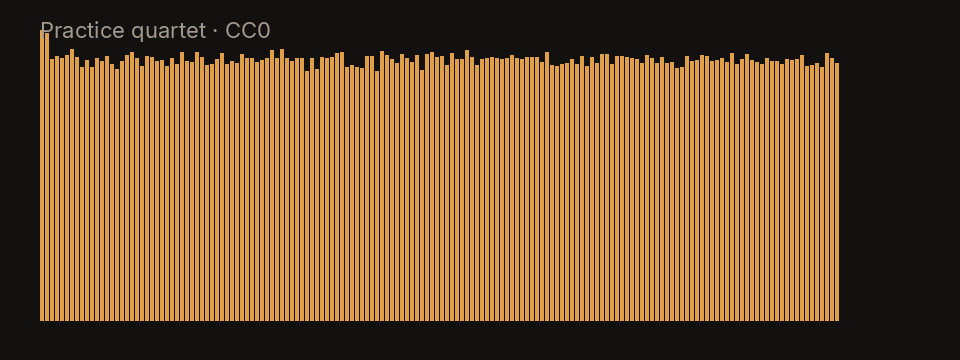
The clip below is not a commercial record. It is the practice quartet shipped with this site: an original 20-second synthetic piece, released CC0, with a dry lead, a small kit, a bass, and a plucked line. On this file the vocal stem is mostly that lead, and muting it leaves a backing you can sing over. Your songs will not look like this plot. It is here so the four bands of energy are visible before you try a dense record.
Limitations
Reverb tails often remain after the dry vocal is gone, because the tail was printed across the mix. Spoken word over music gets chopped. Telephone vocals, heavy distortion on the voice, and very old recordings leak into the instrumental. This page will not print a karaoke track of a song you do not already have, and it will not strip a vocal out of a video that is only playing on another site.
There is no separate control that “keeps the harmonies but drops the lead.” If you need the choir and not the soloist, you will be compromising with the Other fader. A future isolator page is not this one: here the point is the backing.
Practice with the instrumental
Loop the chorus with the waveform, turn on the count-in, and drop the speed in small steps. The key does not follow the speed, so a slow phrase is still the melody you are learning. When the tempo reading is clear, the metronome can replace the drums you muted. Markers are there if you want to label a verse and a bridge and jump back.
For a drumless version of the same song, open the drum remover. To learn the bass part against this backing, the bass remover starts from the opposite mute. The numbers for tempo and key are explained on the BPM and key finder.
Questions
Does removing the vocal also remove the backing singers?
Often it does not. HTDemucs puts a clear lead in the vocal stem, but stacked harmonies and gang shouts frequently stay in Other. Mute vocals first, then lower Other if a harmony is still singing along.
Can I slow the instrumental without changing its pitch?
Yes. After the song opens, speed moves on its own. A slower chorus stays in the original key, which is what you want when you are learning a melody rather than transposing it.
Why do some words still peek through on a dense mix?
A vocal that was printed with heavy reverb, or glued to the mix with limiting, leaves a tail and a few consonants in the other stems. The mute is exact for the vocal stem. It cannot erase sound the model filed elsewhere.
Where does the file go when I export the backing track?
The export is a download in this browser: the mix of drums, bass, and other, as WAV or MP3. The song is not sent to a server to make that file.
Guitar remover
How to take the guitar out of a song
- Drop the song. Decoding stays on this device.
- Separate the full song, or preview six seconds where the guitar is exposed.
- Leave Other muted. Vocals, drums, and bass are the backing you play along with.
- Export the mix as WAV or MP3 if you want that backing as a file.
This guitar remover does not add a fifth stem. There is no separate guitar stem. HTDemucs, the model this site runs, writes four files: vocals, drums, bass, and other. Guitar, piano, organ, strings, and most synths land in Other. This page opens with Other muted and the other three stems up, which is as close as the model can get to a guitar-free backing. If a piano was playing the same bars, the piano goes quiet too.
Open your file, separate it, and listen. If the part you wanted gone is still audible, it leaked into vocals or drums, which is common with a fuzzy amp. You cannot reach into Other and delete only the guitar. You can only mute the whole stem, solo it to study it, or export the mix with that stem down.
What you actually hear
With Other muted you hear the singer, the kit, and the bass. Rhythm guitar, lead guitar, and keys are gone together. A song that is “just guitar and voice” becomes mostly the voice, because the guitar was the Other stem. A song with a horn section loses the horns too. That is the honest output of a four-stem model, and it is still useful for playing along when the guitar part was the thing you did not want to duplicate.
Solo Other if you want to hear the guitars without the band, for figuring out a chord voicing. Then mute it again to play those chords yourself. The export with Other down is a stereo mix of the three remaining stems, not a guitar track with a hole punched in it.
Tips when the guitar will not leave
A distorted guitar occupies the same range as a snare’s noise and a vocal’s consonants. The model then splits one amp tone across drums, vocals, and Other. Muting Other removes the body of the chord and leaves a fizz. A clean, single-note line in a sparse mix is the case that disappears most completely.
Two guitars do not get two stems. A rhythm part and a lead part are both Other, so you cannot mute the rhythm and keep the lead. Double-tracked guitars panned hard left and right still share the stem. Piano and guitar in the same bar share it too. If the arrangement depends on keeping the keys, this mute is the wrong tool, and you may be better off leaving Other up and only looping the phrase.
Acoustic guitar with a lot of room sound leaves a tail, the same way a vocal reverb does. The dry attack goes into Other. The room may linger in the vocal stem. Listen on headphones before you decide the take is unusable.
A file we can show you
The spectrum is the practice quartet, an original CC0 synthetic clip included with the site, not a recording of a commercial song. Its plucked line is the stand-in for a guitar: it lives in Other, beside a dry lead, a small kit, and a bass. Muting Other on this clip removes that plucked line and leaves the other three. A real guitar record is messier than this plot, but the stem assignment is the same one the model will make.
Limitations
Do not expect a guitar-only stem. Do not expect a piano to survive a guitar mute. Palm-muted metal, amp noise, and capos that put the guitar under the vocal will leak. Old records where the guitar and the voice were recorded in one room share a microphone, and the model cannot unmix a room.
This is a practice mute of a file you supply. It does not fetch a backing track from a catalog, and it does not know the name of the song.
Practice along with the band
Loop the changes you are learning and slow them without shifting pitch, so the chords stay in the key you hear on the record. If you need the song in a different key, move pitch in semitones and leave the speed alone. The BPM and key finder reads both from the original mix before you rely on the click.
When the part you actually want gone is the kit, use the drum remover instead of muting Other. When you want the singer gone and the guitar kept, use the vocal remover and leave Other up. Muting Other and muting vocals at the same time leaves drums and bass, which is a thin backing but a clear one for hearing your own guitar.
Questions
Why does the guitar share a stem with the piano?
The model used here, HTDemucs, outputs four stems: vocals, drums, bass, and other. Guitar, piano, synth pads, and most harmonic instruments are trained into Other. There is no fifth stem waiting to be unlocked.
What should I mute if I only want the rhythm guitar gone?
Mute Other. Vocals, drums, and bass stay. If a piano or a string pad was playing at the same time, it goes quiet too. That is the limit of this split, not a setting you missed.
Will a distorted guitar separate more cleanly than a clean one?
Usually the opposite. Distortion fills the same frequencies as cymbals, vocals, and keyboards, so more of the amp tone leaks into those stems. A dry, single-note line in a sparse arrangement is the case that comes out closest to “just the guitar.”
Can I save a mix that does not include the guitar?
Yes. With Other muted, export the mix as WAV or MP3. You are exporting the three remaining stems summed together, not a guitar-only stem with the guitar deleted from inside Other.
Drum remover
How to make a drumless track
- Drop the file. The waveform is the original mix, drums included, until the split finishes.
- Separate the song. Progress stays on this page. You can keep playing the original while it runs.
- Confirm drums are muted. Solo drums once if you want to check what was removed.
- Loop a bar, add the count-in, and practice the part against the drumless mix.
Open the song in this drum remover and separate it. This page starts in the Drummer preset: the drum stem is muted, and vocals, bass, and other stay up. What you hear is the arrangement without the kit. That is the drumless track. Export the mix as WAV or MP3 if you want to take that version into another player. The export is built here, from the stems, and the source file is not posted anywhere.
The 6-second preview is enough to learn whether the snare really landed in the drum stem. On a computer without a graphics chip, a full song can take longer than the song lasts, so the preview is the sane first step.
What stays in the track
Vocals, bass, and Other stay. Other includes the guitars and keys, so the harmony of the song is still there. You are not left with a click track unless you turn the metronome on. The drum stem itself is still available: solo it to hear the kit in isolation, which is a decent way to transcribe a fill before you mute it again and play that fill yourself.
Hits that leaked into the vocal or into Other will still tick. A brushed snare and a shaker are the usual offenders. The mute does not hunt them down.
Tips for drummers
Cymbal wash is long and bright, and a lot of it is filed outside the drum stem. If the ride is still whispering after you mute drums, lower Other a little. You will also lower guitars, so do it only on the bar you are working on, or accept a duller backing for that loop.
A half-time chorus fools people and sometimes fools the tempo estimate. If the click is racing, the BPM may be double the pulse you want to play. Count the snare you would have played, not the number on the screen. The limitations of that number are written up on the BPM and key finder.
Programmed drums usually separate more cleanly than a roomy live kit, because the transient is short and the room is small. A jazz ride recorded with the horns in one microphone will not vanish. Loop that bar anyway and play with the ghost note. Perfect subtraction is not required for practice.
What the example sounds like
The plot is the site’s practice quartet, a 20-second CC0 synthetic mix made for this purpose, not a commercial drum recording. It has a small kit under a lead, a bass, and a plucked line. On this file the kit gathers into the drum stem, and muting it leaves the other three. A live overhead pair will not be this tidy. The plot is only a picture of a known, separable mix.
Limitations
Stomps, claps, and a snare that was sampled with a long reverb tail leave pieces behind. A drummer who sings the hook into the same microphone as the kit will lose some voice when drums are muted, or leave some kit in the vocal. You cannot ask for “kick only” or “overheads only.” There is one drum stem.
The page does not replace the drums with a better drummer. It removes the stem it has. If the song has no drums, muting the stem does almost nothing, and whatever transient noise the model gathered there goes quiet.
Practice without the kit
Set A and B around a fill, slow the loop without changing pitch, and turn the count-in on so you know where the bar starts now that the snare is gone. The speed trainer can step the tempo up after a few clean loops. Markers help if you are moving between a verse groove and a chorus figure.
If the part you want to learn is the bass against those drums, switch to the bass remover and leave the kit up. If you want the singer out so you can hear the rhythm section, start from the vocal remover instead of muting drums.
Questions
Why do cymbals sometimes stay after the drums are muted?
Cymbal wash is bright and long, and the model often files part of it under Other or even under the vocal. Muting drums removes the kit stem. A ride pattern that still shimmers is leakage, and lowering Other usually takes the rest of it down.
How do I practice a fill if the click and the band disagree?
Loop the bar, then read the BPM line. If the estimate is double or half what you are counting, ignore the click and count the bar yourself. The count-in follows the estimate, so a wrong octave of tempo will rush you.
Does a drum machine count as the drum stem?
Programmed kicks and snares usually land in drums. Tuned 808s that play pitches often split between drums and bass. If the low end disappears when you mute drums, solo drums once and see whether the machine’s sub was filed there.
Can I loop one bar of a drumless track and slow it down?
Yes. Set the loop on the waveform, mute drums with the Drummer preset, and lower the speed. Pitch stays put, so a slowed fill is still in the key of the song.
Bass remover
How to remove the bass from a song
- Open a song you have the right to practice with.
- Separate it. The Bassist preset mutes bass as soon as the stems exist.
- Solo bass to learn a bar, then mute bass and play it with the band.
- Loop the bar and slow it if the line is faster than you can read.
This bass remover mutes the bass stem after the split. Vocals, drums, and Other stay, which is the band without the bass line. Separate the file, then play. Solo the bass stem when you want to hear the original line in isolation, learn it, and mute it again to take the solo. You do not have to upload the song to do either of those.
Export the mix with bass muted if you want a bassless backing as WAV or MP3. The file is rendered from the stems in this browser. Pitch can be applied at export, so a transposed chart can be a file and not only a live setting.
What you get
A backing of voice, kit, and the Other stem, which still contains guitars and keys. The bass guitar, upright bass, or sustained synth bass is the part that should drop out. You also still have the bass stem, so this is not a destructive edit of your file. The original mix remains in the library on this device until you delete that song.
Low end that belonged to the kick may thin out. That is overlap between two stems, described below, not the bass line hiding in the drums.
Tips for bass practice
Listen to the soloed bass on headphones. Small speakers hide whether the model kept the fundamental or only the string noise. If the soloed stem is mostly fret noise and the note is still in the mix, the fundamental leaked into drums. Muting bass will not finish the job, and you will be playing on top of a quiet copy of yourself.
Synth bass that doubles the kick, and 808s that are the kick, split at the attack. The click stays in drums. The tone stays in bass. Muting bass then leaves a dry tick where the note was. For practice that is often what you want: a transient to lock to, and silence where your note goes.
A busy fingerstyle part under a vocal will lose a few notes to the vocal stem when the two were compressed together. Loop those notes and accept a ghost, or solo bass and learn them from the stem instead of from the full mix.
Example we are allowed to publish
The spectrum is the practice quartet, written for this site and marked CC0. It is 20 seconds, synthetic, with a simple bass under a lead, a kit, and a plucked line. Muting the bass stem on this clip removes that bass and leaves the rest. It is not a chart of a famous song, and it is not a promise that a doubled electric bass on a loud record will vanish as cleanly.
Limitations
Kick and bass share frequencies, so a muted bass stem can make the kick feel smaller. Distorted bass and guitar often trade energy with Other. Upright bass with a lot of finger noise splits into a tone and a scrape, and the scrape may stay in Other. There is no “bass guitar but keep the synth bass” control.
Songs longer than 20 minutes are not loaded. Split the file yourself and practice a section. The page also will not fetch a bassless version of a track by name.
Practice the line
Loop the bar, slow it without changing pitch, and use the count-in so the one does not depend on the bass note you just removed. When you can play it at the slow speed, the speed trainer bumps the rate after a few loops. Change the key in semitones if you are reading the line in a different position and want the record to meet you.
Drummers who landed here by mistake want the drum remover. If the guitar is what you are trying not to double, read the guitar remover first: that mute is Other, not bass. Tempo questions belong on the BPM and key finder.
Questions
Why does the kick drum thin out when I mute the bass?
Kick and bass share the lowest octaves. HTDemucs tries to put the sustain of the bass guitar in the bass stem and the click of the kick in drums, but a boomy kick loses weight when the bass stem is muted. That is overlap, not the bass part still playing.
How do I hear the original bass line before I play it?
Solo the bass stem. This page starts with bass muted so you can play along. Solo is the opposite: only the bass stem, so you can learn the line, then unmute the band and mute bass again.
What happens with synth bass and 808s?
A sustained synth bass usually follows the bass stem. A short 808 that also acts as the kick may split, with the attack in drums and the tail in bass. Muting bass then leaves the click and removes the note.
Can I change the key of the bassless track?
Yes. Pitch moves in semitones and does not change the speed. Export the mix after you transpose if you want a file already in the new key, with the current speed and pitch applied.
BPM and key
How the tempo is measured
- Drop the audio file. Video files with an audio track work too, as long as the type is one the page can read.
- Wait for the listening line to resolve to a BPM and a key, or to say that one of them is unclear.
- Clap the pulse yourself. If you clap half as fast or twice as fast, read the next section before you trust the click.
- Loop a steady section if the song changes tempo. The estimate is one number for the whole file.
The number is an estimate from the audio you open, not a tempo printed on a release. After the file is decoded, the page looks for periodic onsets: kicks, snares, and other sharp attacks that repeat. It then picks a BPM that best lines up with those hits across the file. This runs in the browser, on the original mix, and it does not need a stem split. On a normal song it finishes in seconds.
You will see the figure on the player once the reading is ready. If the onsets are not periodic enough, the line says the tempo is unclear instead of inventing a confident number. A wash of pads with no drums is the usual reason.
Half time, double time, and a rushing band
A backbeat can be counted two ways. A song you feel at 70 BPM may be reported at 140, because the detector locked onto every eighth-note hat or every snare ghost. A half-time chorus does the reverse: the drums sit still and the estimate may stay at the fast verse tempo, or it may flip. Neither result means the file was read wrong. It means a single BPM is a summary.
Live recordings that rush, and studio songs with a deliberate tempo change, get a compromise figure. The click will drift against one of the sections. Loop the section you are practicing and judge the click there. If it drifts inside a four-bar loop, ignore it and count. The metronome and the count-in follow the estimate, so a doubled BPM will make them chatter.
Swing and heavy shuffle are another soft spot. The detector wants a grid. A loose drummer produces a wider number and, sometimes, an unclear result. That is a safer outcome than a precise figure that is off by a third.
How the key is chosen
The key is also an estimate, from a pitch-class profile of the mix: which of the twelve notes are loud, and for how long. The page then picks a major or minor key that fits that profile and shows a confidence. Ambiguous tracks are marked unclear rather than dressed up as a modulation you can trust.
Relative major and minor share a signature. C major and A minor use the same notes. A chorus that sits on C can win the profile even when the verse is clearly A minor, and the page will print one of them, not both. If you are writing a chart, check the first chord you can hear. If it is Am and the page says C, you are looking at the relative major, and your chart should follow your ear.
Modes are not labeled. A D dorian tune may come out as A minor or as C major, because those profiles overlap. The tool is a hint for practice, not a theory grade. Key changes inside the song are collapsed into one reading. A bridge that modulates up a semitone will not get its own line.
What the example is, and is not
The picture is the spectrum of the practice quartet, a 20-second CC0 synthetic clip included so this site has a file it is allowed to show. It is tonal and it has a pulse, so both estimates resolve on it. It is not a calibration tone, and matching its BPM on your song is not a test you need to pass. It only shows the kind of file the estimator sees: a whole mix, not a MIDI file and not a metronome.
Limits of one number
Spoken word, ambient beds, and free-time intros often come back unclear. That is the estimator refusing a guess. Very short files, under a few seconds, may not contain enough beats. Very long files are summarized, not graphed over time. There is no beat map you can export.
Pitch shifting the player does not rewrite the key label. The label describes the file as opened. If you move the pitch up two semitones, add two semitones to the printed key yourself. The BPM label describes the file at its original speed. Slowing playback does not change the number, which is what you want: the click should still match the record’s pulse, and you are the one playing slowly.
Using the numbers for practice
Set a loop, turn the metronome on, and see if it locks to the snare. If it does, you can mute things and keep the click. Speed and pitch on the player are independent: slow practice does not transpose, and a key change does not drag the tempo. Chords, when the page shows them, are approximate and labeled as such. They are not a transcription.
Splitting into stems is optional here and does not feed the tempo or the key. If you do want a backing, the vocal remover mutes the lead, and the drum remover mutes the kit. Either one can sit under the same BPM once you have decided the figure is the pulse you are counting.
Questions
Why does the tempo come out double or half what I count?
A backbeat can look like eighth notes to an onset detector, and a half-time chorus can look like a song at half speed. If you count 70 and the page says 140, tap the snare: you are probably counting half notes. Trust the pulse you can clap, and treat the figure as an estimate.
What does it mean when the key says C major but the song feels like A minor?
Those are relative keys. They share a key signature, and a chorus that leans on C can be filed as C major even when the verse sits on A minor. The page picks the major or minor reading with the stronger profile. It does not print both.
How accurate is a BPM reading on a song that speeds up?
The estimate is one number for the whole file. A live track that rushes, or a song with a tempo change, gets a compromise. Loop a steady section and see whether the chords and the click agree there. If the line says the tempo is unclear, the onsets were not periodic enough to trust.
Does the tempo estimate need the stems to be split first?
No. BPM and key are measured on the original mix, in this browser, as soon as the file has been read. Splitting is separate, and you can ignore it if you only wanted the numbers.
Last updated 28 September 2026